Tuesday, June 28, 2011
WebSim( MIT open course Electronics Lab)
This is very interesting to do the basic electronics lab through the MIT open Electronics Lab (Web Sim) , also can listen excellent lectures from MIT professor on Basic Electronics


Wednesday, March 2, 2011
RAM8
RAM8:is a memory unit of 8 registers joined together to store 16*8 bits (16 byte). Based on the address (3bits) ,the Dmux8way device control the load signal for each Registers.
CHIP RAM8 {
IN in[16], load, address[3];
OUT out[16];
PARTS:
// load given as input of 8 way Demultipelxer so that 'load' is seperated to control each Registers
DMux8Way(in=load, sel=address, a=a, b=b, c=c, d=d, e=e, f=f, g=g, h=h);
/* 16-Bit register, load is given as each seperated lines
* If load[t-1]=1 then out[t] = in[t-1]
*/
Register(in=in, load=a, out=aa);
Register(in=in, load=b, out=bb);
Register(in=in, load=c, out=cc);
Register(in=in, load=d, out=dd);
Register(in=in, load=e, out=ee);
Register(in=in, load=f, out=ff);
Register(in=in, load=g, out=gg);
Register(in=in, load=h, out=hh);
// 16bit outputs from each Registers connected through 16bit 8 way multiplexer in order to get the outputs based on the Address
Mux8Way16(a=aa, b=bb, c=cc, d=dd, e=ee, f=ff, g=gg, h=hh, sel=address, out=out);
}
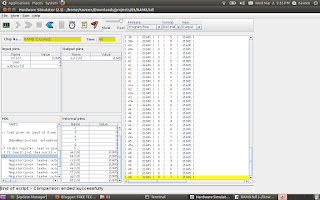
CHIP RAM8 {
IN in[16], load, address[3];
OUT out[16];
PARTS:
// load given as input of 8 way Demultipelxer so that 'load' is seperated to control each Registers
DMux8Way(in=load, sel=address, a=a, b=b, c=c, d=d, e=e, f=f, g=g, h=h);
/* 16-Bit register, load is given as each seperated lines
* If load[t-1]=1 then out[t] = in[t-1]
*/
Register(in=in, load=a, out=aa);
Register(in=in, load=b, out=bb);
Register(in=in, load=c, out=cc);
Register(in=in, load=d, out=dd);
Register(in=in, load=e, out=ee);
Register(in=in, load=f, out=ff);
Register(in=in, load=g, out=gg);
Register(in=in, load=h, out=hh);
// 16bit outputs from each Registers connected through 16bit 8 way multiplexer in order to get the outputs based on the Address
Mux8Way16(a=aa, b=bb, c=cc, d=dd, e=ee, f=ff, g=gg, h=hh, sel=address, out=out);
}

Tuesday, February 8, 2011
How to build a Memory for a computing System
BIT STORE
The elementary functionality of a Computing System is that it should store data somewhere and should be collected it back whenever require. We can call this block as Memory unit of a computer. The Memory can be build using the sequential chip called flip-flop. Below HDL can store a bit . The small memory can Write and Read using the 'load' signal.
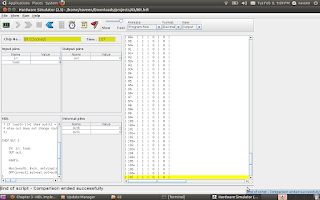
CHIP Bit {
IN in, load;
OUT out;
PARTS:
Mux(a=outb, b=in, sel=load,out=out1); //Mux input taken as the feedback of D-Flip Flop out
DFF(in=out1,out=out,out=outb);
}
================================================================================
Register
If a Bus(16bit) connected to 16 parallel a Bit chip ,then we can store 16bit at a time. This is known as Register.
CHIP Register {
IN in[16], load;
OUT out[16];
PARTS:
Bit(in=in[0],load=load,out=out[0]);
Bit(in=in[1],load=load,out=out[1]);
Bit(in=in[2],load=load,out=out[2]);
Bit(in=in[3],load=load,out=out[3]);
Bit(in=in[4],load=load,out=out[4]);
Bit(in=in[5],load=load,out=out[5]);
Bit(in=in[6],load=load,out=out[6]);
Bit(in=in[7],load=load,out=out[7]);
Bit(in=in[8],load=load,out=out[8]);
Bit(in=in[9],load=load,out=out[9]);
Bit(in=in[10],load=load,out=out[10]);
Bit(in=in[11],load=load,out=out[11]);
Bit(in=in[12],load=load,out=out[12]);
Bit(in=in[13],load=load,out=out[13]);
Bit(in=in[14],load=load,out=out[14]);
Bit(in=in[15],load=load,out=out[15]);
}
The elementary functionality of a Computing System is that it should store data somewhere and should be collected it back whenever require. We can call this block as Memory unit of a computer. The Memory can be build using the sequential chip called flip-flop. Below HDL can store a bit . The small memory can Write and Read using the 'load' signal.
CHIP Bit {
IN in, load;
OUT out;
PARTS:
Mux(a=outb, b=in, sel=load,out=out1); //Mux input taken as the feedback of D-Flip Flop out
DFF(in=out1,out=out,out=outb);
}
================================================================================
Register
If a Bus(16bit) connected to 16 parallel a Bit chip ,then we can store 16bit at a time. This is known as Register.
CHIP Register {
IN in[16], load;
OUT out[16];
PARTS:
Bit(in=in[0],load=load,out=out[0]);
Bit(in=in[1],load=load,out=out[1]);
Bit(in=in[2],load=load,out=out[2]);
Bit(in=in[3],load=load,out=out[3]);
Bit(in=in[4],load=load,out=out[4]);
Bit(in=in[5],load=load,out=out[5]);
Bit(in=in[6],load=load,out=out[6]);
Bit(in=in[7],load=load,out=out[7]);
Bit(in=in[8],load=load,out=out[8]);
Bit(in=in[9],load=load,out=out[9]);
Bit(in=in[10],load=load,out=out[10]);
Bit(in=in[11],load=load,out=out[11]);
Bit(in=in[12],load=load,out=out[12]);
Bit(in=in[13],load=load,out=out[13]);
Bit(in=in[14],load=load,out=out[14]);
Bit(in=in[15],load=load,out=out[15]);
}
Thursday, February 3, 2011
ALU CHIP
ALU (Arithmetic and Logic Unit):
The basic building block for a computer is ALU which can perform the basic Arithmetic and logical operations. The Chip creation using the HDL from the basic gates(AND,NOT,MUX,ADDER..etc) gives you the in site knowledge and interest for binary number operations. The below HDL ALU chip can perform 18 operations, potentially which can compute 64.
Follow the course The Elements of Computing Systems


CHIP ALU {
IN // 16-bit inputs:
x[16], y[16],
// Control bits:
zx, // Zero the x input
nx, // Negate the x input
zy, // Zero the y input
ny, // Negate the y input
f, // Function code: 1 for add, 0 for and
no; // Negate the out output
OUT // 16-bit output
out[16],
// ALU output flags
zr, // 1 if out=0, 0 otherwise
ng; // 1 if out<0, 0 otherwise
PARTS:
Mux16(a[0..15]=x[0..15], b[0..15]=false, sel=zx, out[0..15]=x1);
Mux16(a[0..15]=y[0..15], b[0..15]=false, sel=zy, out[0..15]=y1);
Not16(in[0..15]=x1, out[0..15]=notx1);
Not16(in[0..15]=y1, out[0..15]=noty1);
Mux16(a[0..15]=x1, b[0..15]=notx1, sel=nx, out[0..15]=x2);
Mux16(a[0..15]=y1, b[0..15]=noty1, sel=ny, out=y2);
And16(a[0..15]=x2, b[0..15]=y2, out=Andxy);
Add16(a[0..15]=x2, b[0..15]=y2, out=Addxy);
Mux16(a[0..15]=Andxy, b[0..15]=Addxy, sel=f, out=x3);
Not16(in[0..15]=x3, out=notx3);
Mux16(a[0..15]=x3, b[0..15]=notx3, sel=no, out[0]=ou1,out[1]=ou2,out[2]=ou3,out[3]=ou4,out[4]=ou5,out[5]=ou6,out[6]=ou7,out[7]=ou8,out[8]=ou9,out[9]=ou10,out[10]=ou11,out[11]=ou12,out[12]=ou13,out[13]=ou14,out[14]=ou15,out[15]=ou16);
Or(a=ou1, b=ou2,out= out1);
Or(a=ou2,b= out1,out= out2);
Or(a=ou3,b= out2,out= out3);
Or(a=ou4,b= out3,out= out4);
Or(a=ou5,b= out4,out= out5);
Or(a=ou6,b= out5,out= out6);
Or(a=ou7,b= out6,out= out7);
Or(a=ou8,b= out7,out= out8);
Or(a=ou9,b= out8,out= out9);
Or(a=ou10,b= out9,out= out10);
Or(a=ou11,b= out10,out= out11);
Or(a=ou12,b= out11,out= out12);
Or(a=ou13,b= out12,out= out13);
Or(a=ou14,b= out13,out= out14);
Or(a=ou15,b= out14,out= out15);
Or(a=ou16,b= out15,out= notzr);
Not(in=notzr,out=zr);
And(a=ou16,b=true,out=ng);
And(a=ou1,b=true,out=out[0]);
And(a=ou2,b=true,out=out[1]);
And(a=ou3,b=true,out=out[2]);
And(a=ou4,b=true,out=out[3]);
And(a=ou5,b=true,out=out[4]);
And(a=ou6,b=true,out=out[5]);
And(a=ou7,b=true,out=out[6]);
And(a=ou8,b=true,out=out[7]);
And(a=ou9,b=true,out=out[8]);
And(a=ou10,b=true,out=out[9]);
And(a=ou11,b=true,out=out[10]);
And(a=ou12,b=true,out=out[11]);
And(a=ou13,b=true,out=out[12]);
And(a=ou14,b=true,out=out[13]);
And(a=ou15,b=true,out=out[14]);
And(a=ou16,b=true,out=out[15]);
}
Monday, January 24, 2011
Half Adder & Full Adder
Half adder
CHIP HalfAdder {
IN a, b;
OUT sum, // LSB of a + b
carry; // MSB of a + b
PARTS:
Xor(a=a, b=b, out=sum);
And(a=a, b=b, out=carry);
}
Full Adder
CHIP FullAdder {
IN a, b, c;
OUT sum, // LSB of a + b + c
carry; // MSB of a + b + c
PARTS:
HalfAdder(a=c, b=b, sum=sum1, carry=carry1);
HalfAdder(a=a, b=sum1, sum=sum);
And(a=a, b=sum1, out=out1);
Or(a=carry1, b=out1, out=carry);
}
Adder 16 bit
CHIP Add16 {
IN a[16], b[16];
OUT out[16];
PARTS:
HalfAdder(a= a[0], b=b[0], sum= out[0], carry=carry1);
FullAdder(a= a[1], b=b[1], c =carry1, sum = out[1], carry = carry2);
FullAdder(a= a[2], b=b[2], c =carry2, sum = out[2], carry = carry3);
FullAdder(a= a[3], b=b[3], c =carry3, sum = out[3], carry = carry4);
FullAdder(a= a[4], b=b[4], c =carry4, sum = out[4], carry = carry5);
FullAdder(a= a[5], b=b[5], c =carry5, sum = out[5], carry = carry6);
FullAdder(a= a[6], b=b[6], c =carry6, sum = out[6], carry = carry7);
FullAdder(a= a[7], b=b[7], c =carry7, sum = out[7], carry = carry8);
FullAdder(a= a[8], b=b[8], c =carry8, sum = out[8], carry = carry9);
FullAdder(a= a[9], b=b[9], c =carry9, sum = out[9], carry = carry10);
FullAdder(a= a[10], b=b[10], c =carry10, sum = out[10], carry = carry11);
FullAdder(a= a[11], b=b[11], c =carry11, sum = out[11], carry = carry12);
FullAdder(a= a[12], b=b[12], c =carry12, sum = out[12], carry = carry13);
FullAdder(a= a[13], b=b[13], c =carry13, sum = out[13], carry = carry14);
FullAdder(a= a[14], b=b[14], c =carry14, sum = out[14], carry = carry15);
FullAdder(a= a[15], b=b[15], c =carry15, sum = out[15], carry = carry16);
}
Increment 16bit
CHIP Inc16 {
IN in[16];
OUT out[16];
PARTS:
Add16(a[0..15] = in[0..15], b[1..15] = false, b[0] = true, out = out);
}
CHIP HalfAdder {
IN a, b;
OUT sum, // LSB of a + b
carry; // MSB of a + b
PARTS:
Xor(a=a, b=b, out=sum);
And(a=a, b=b, out=carry);
}
Full Adder
CHIP FullAdder {
IN a, b, c;
OUT sum, // LSB of a + b + c
carry; // MSB of a + b + c
PARTS:
HalfAdder(a=c, b=b, sum=sum1, carry=carry1);
HalfAdder(a=a, b=sum1, sum=sum);
And(a=a, b=sum1, out=out1);
Or(a=carry1, b=out1, out=carry);
}
Adder 16 bit
CHIP Add16 {
IN a[16], b[16];
OUT out[16];
PARTS:
HalfAdder(a= a[0], b=b[0], sum= out[0], carry=carry1);
FullAdder(a= a[1], b=b[1], c =carry1, sum = out[1], carry = carry2);
FullAdder(a= a[2], b=b[2], c =carry2, sum = out[2], carry = carry3);
FullAdder(a= a[3], b=b[3], c =carry3, sum = out[3], carry = carry4);
FullAdder(a= a[4], b=b[4], c =carry4, sum = out[4], carry = carry5);
FullAdder(a= a[5], b=b[5], c =carry5, sum = out[5], carry = carry6);
FullAdder(a= a[6], b=b[6], c =carry6, sum = out[6], carry = carry7);
FullAdder(a= a[7], b=b[7], c =carry7, sum = out[7], carry = carry8);
FullAdder(a= a[8], b=b[8], c =carry8, sum = out[8], carry = carry9);
FullAdder(a= a[9], b=b[9], c =carry9, sum = out[9], carry = carry10);
FullAdder(a= a[10], b=b[10], c =carry10, sum = out[10], carry = carry11);
FullAdder(a= a[11], b=b[11], c =carry11, sum = out[11], carry = carry12);
FullAdder(a= a[12], b=b[12], c =carry12, sum = out[12], carry = carry13);
FullAdder(a= a[13], b=b[13], c =carry13, sum = out[13], carry = carry14);
FullAdder(a= a[14], b=b[14], c =carry14, sum = out[14], carry = carry15);
FullAdder(a= a[15], b=b[15], c =carry15, sum = out[15], carry = carry16);
}
Increment 16bit
CHIP Inc16 {
IN in[16];
OUT out[16];
PARTS:
Add16(a[0..15] = in[0..15], b[1..15] = false, b[0] = true, out = out);
}
Saturday, January 22, 2011
Tuesday, January 18, 2011
CHAPTER 1
Chip Design is as interesting as Programming. For building OR gate from NAND,we need to remember the basic theorems in Digital electronics.De_Morgan laws
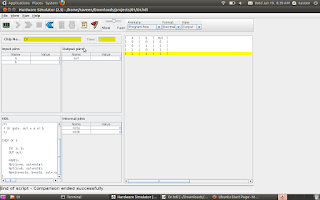
DMUX
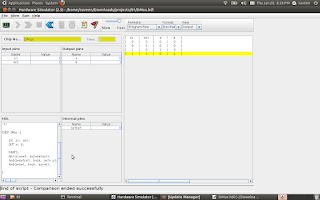
MUX
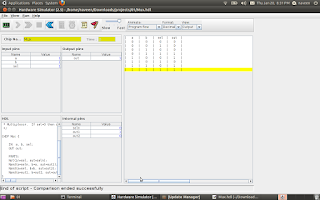
DMux4Way
CHIP DMux4Way {
IN in, sel[2];
OUT a, b, c, d;
PARTS:
DMux(in=in, sel=sel[1], a=mux1, b=mux2);
DMux(in=mux1, sel=sel[0], a=a, b=b);
DMux(in=mux2, sel=sel[0], a=c, b=d);
}
DMux8Way
CHIP DMux8Way {
IN in, sel[3];
OUT a, b, c, d, e, f, g, h;
PARTS:
DMux(in=in, sel=sel[2], a=mux1, b=mux2);
DMux4Way(in=mux1, sel[0]=sel[0], sel[1]=sel[1], a=a,b=b,c=c,d=d);
DMux4Way(in=mux2, sel[0]=sel[0], sel[1]=sel[1], a=e,b=f,c=g,d=h);
}

DMUX

MUX

DMux4Way
CHIP DMux4Way {
IN in, sel[2];
OUT a, b, c, d;
PARTS:
DMux(in=in, sel=sel[1], a=mux1, b=mux2);
DMux(in=mux1, sel=sel[0], a=a, b=b);
DMux(in=mux2, sel=sel[0], a=c, b=d);
}
DMux8Way
CHIP DMux8Way {
IN in, sel[3];
OUT a, b, c, d, e, f, g, h;
PARTS:
DMux(in=in, sel=sel[2], a=mux1, b=mux2);
DMux4Way(in=mux1, sel[0]=sel[0], sel[1]=sel[1], a=a,b=b,c=c,d=d);
DMux4Way(in=mux2, sel[0]=sel[0], sel[1]=sel[1], a=e,b=f,c=g,d=h);
}

Monday, January 17, 2011
Building all the chips
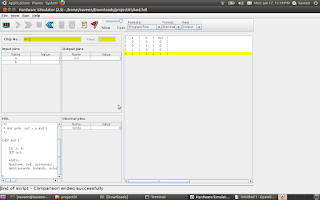
First chip AND built from NAND gate. The first chapter project is to build all the chips from NAND gate.One who finish the first chapter should build all the chips from NAND and test it.
reference link http://www1.idc.ac.il/tecs/plan.html

reference link http://www1.idc.ac.il/tecs/plan.html
Sunday, January 9, 2011
Ubuntu 10.10
started running Ubuntu 10.10 in my laptop and installation is even easier than my last version 8.4.
You have everything in it when you compare it with Windows,or you can install with just 'Clicks'.
My Ubuntu running with Skype,facebook chat,Firefox,Totem Movie Player and Synaptic Package Manager (easiest installation software from network ) .
Get the free Ubuntu CD from here
You have everything in it when you compare it with Windows,or you can install with just 'Clicks'.
My Ubuntu running with Skype,facebook chat,Firefox,Totem Movie Player and Synaptic Package Manager (easiest installation software from network ) .
Get the free Ubuntu CD from here
Saturday, January 8, 2011
going to implement CPU and OS from single book ( 152 Rs)
I have ordered the book introductory CS course called The Elements of Computing Systems. . Hoping I can revist the ALU,CPU, .........assembler/vm/language/os .
Course simplifies Computer Science into a single course ( no need to study Computer Architecure , Assembly, language, complier, OS text books seperately ) ...one shot everthing in it . Don't know much about it ,but ordered the book. read below .TECS - The most amazing CS course I have seen!
Course simplifies Computer Science into a single course ( no need to study Computer Architecure , Assembly, language, complier, OS text books seperately ) ...one shot everthing in it . Don't know much about it ,but ordered the book. read below .TECS - The most amazing CS course I have seen!
Wednesday, December 1, 2010
Tuesday, November 30, 2010
set up WIFI in Ubuntu ( Wireless World)
Happy to share you that I managed to set up WIFI in my laptop. steps followed below
1.) disable atheros hardware access layer (System > Administration > Hardware Drivers)
2.) sudo reboot
3.) wget http://snapshots.madwifi.org/madwifi-hal-0.10.5.6/madwifi-hal-0.10.5.6-r3861-20080903.tar.gz
if you are not getting this link try with below command:
sudo svn co https://svn.madwifi-project.org/madwifi/trunk
4.) tar -xvf madwifi-hal-0.10.5.6-r3861-20080903.tar.gz
5.) cd madwifi-hal-0.10.5.6-r3861-20080903
6.) sudo make install
7.) sudo modprobe ath_pci
8.) sudo nano /etc/modules and append ‘ath_pci’
9.) sudo reboot
Happy WIFI surfing
reference:
http://www.ubuntugeek.com/atheros-ar5007-wireless-with-madwifi-on-ubuntu-804-hardy-heron.html
http://www.pcmech.com/article/how-to-quick-wireless-setup-with-ubuntu-804/
1.) disable atheros hardware access layer (System > Administration > Hardware Drivers)
2.) sudo reboot
3.) wget http://snapshots.madwifi.org/madwifi-hal-0.10.5.6/madwifi-hal-0.10.5.6-r3861-20080903.tar.gz
if you are not getting this link try with below command:
sudo svn co https://svn.madwifi-project.org/madwifi/trunk
4.) tar -xvf madwifi-hal-0.10.5.6-r3861-20080903.tar.gz
5.) cd madwifi-hal-0.10.5.6-r3861-20080903
6.) sudo make install
7.) sudo modprobe ath_pci
8.) sudo nano /etc/modules and append ‘ath_pci’
9.) sudo reboot
Happy WIFI surfing
reference:
http://www.ubuntugeek.com/atheros-ar5007-wireless-with-madwifi-on-ubuntu-804-hardy-heron.html
http://www.pcmech.com/article/how-to-quick-wireless-setup-with-ubuntu-804/
Wednesday, November 24, 2010
Subfile programs and Docs
1. docoments for Subfiles
subfile doc basics and simple programs
2. Subfile Keywords:
Subfile Keywords
3. Subfile Programs
Subfile Programs
4. subfiles detailed document
subfile
subfile doc basics and simple programs
2. Subfile Keywords:
Subfile Keywords
3. Subfile Programs
Subfile Programs
4. subfiles detailed document
subfile