This is very nice document http://django-angular.readthedocs.io/en/latest/angular-model-form.html ,one django learner should practice to get confidence on his/er django web development skills. I am sure the document gives you good learning experience in web development .
What is Django ?
Django is a high-level Python Web framework that encourages rapid development and clean, pragmatic design. Built by experienced developers, it takes care of much of the hassle of Web development, so you can focus on writing your app without needing to reinvent the wheel. It’s free and open source
https://www.djangoproject.com/
What is Angularjs?
AngularJS is a structural framework for dynamic web apps. It lets you use HTML as your template language and lets you extend HTML's syntax to express your application's components clearly and succinctly.
https://docs.angularjs.org/guide/introduction
http://www.w3schools.com/angular/
Thursday, May 19, 2016


Tuesday, May 17, 2016
GeoDjango opens new opportunities for free and low cost geo application
Since google map matrix has pricing plans, web developers are started thinking of an alternative. I guess, you can use https://www.openstreetmap.org/#map=15/10.2708/76.3780 as an alternative since lot of companies and institutions are contributing for it.
Its quite interesting and innovative idea that Django ( python webdevelopment framework) is coming up with module for geographic web application GeoDjango. GeoDjango is an included contrib module for Django that turns it into a world-class geographic Web framework. GeoDjango strives to make it as simple as possible to create geographic Web applications, like location-based services. Its features include:
Django model fields for OGC geometries and raster data.
Extensions to Django’s ORM for querying and manipulating spatial data.
Loosely-coupled, high-level Python interfaces for GIS geometry and raster operations and data manipulation in different formats.
Editing geometry fields from the admin.
Its quite interesting and innovative idea that Django ( python webdevelopment framework) is coming up with module for geographic web application GeoDjango. GeoDjango is an included contrib module for Django that turns it into a world-class geographic Web framework. GeoDjango strives to make it as simple as possible to create geographic Web applications, like location-based services. Its features include:
Django model fields for OGC geometries and raster data.
Extensions to Django’s ORM for querying and manipulating spatial data.
Loosely-coupled, high-level Python interfaces for GIS geometry and raster operations and data manipulation in different formats.
Editing geometry fields from the admin.
Saturday, April 16, 2016
how to build Django admin page
It might be a time consuming and headache to build admin page for website. But the case is so cool with Django :-). I started with Django because I like python language. But its so amazing that you can build some pretty cool things in short span of time.It was a little difficult to start with it,but in my experience its pretty easy thing once you used with it.
Below is the tutorial I followed to build the admin page.
http://www.djangobook.com/en/2.0/chapter06.html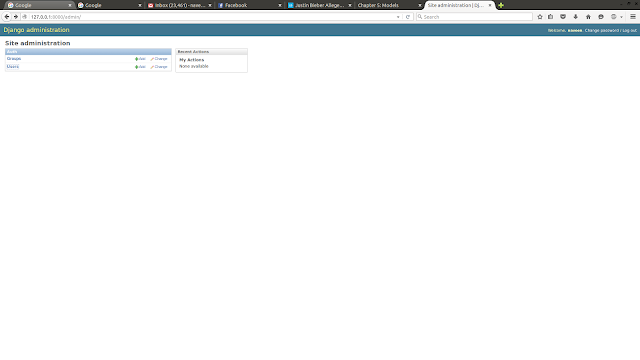
http://www.djangobook.com/en/2.0/chapter06.html

Tuesday, April 12, 2016
Models in Django to create tables
How to connect Mysql database to Django
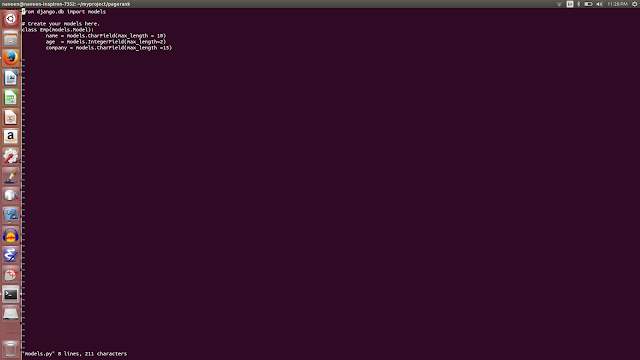
manged to install mysql database in ubuntu and created some tables using Models in Django.
Below online book is really helpful to master Django- http://www.djangobook.com/en/2.0/chapter05.html
models.py:
Mysql: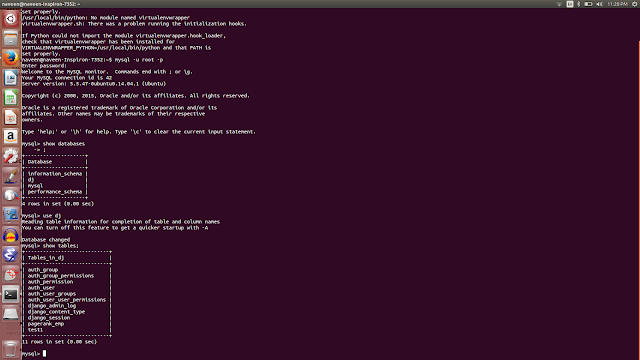
manged to install mysql database in ubuntu and created some tables using Models in Django.
Below online book is really helpful to master Django- http://www.djangobook.com/en/2.0/chapter05.html
models.py:

Mysql:

Friday, April 8, 2016
Apache Spark installed in Ubuntu
I am not sure much uses of Apache Spark. But thought of installing and play around .
https://www.mapr.com/blog/game-changing-real-time-use-cases-apache-spark-on-hadoop
Successfully installed Apachespark in Ubuntu using the below blog instructions.
http://blog.prabeeshk.com/blog/2014/10/31/install-apache-spark-on-ubuntu-14-dot-04/

This is the beauty of Open Source softwares, you can install it and play around it ..and contribute for the project.
For more details - http://spark.apache.org/
examples - http://spark.apache.org/examples.html

https://www.mapr.com/blog/game-changing-real-time-use-cases-apache-spark-on-hadoop
Successfully installed Apachespark in Ubuntu using the below blog instructions.
http://blog.prabeeshk.com/blog/2014/10/31/install-apache-spark-on-ubuntu-14-dot-04/

This is the beauty of Open Source softwares, you can install it and play around it ..and contribute for the project.
For more details - http://spark.apache.org/
examples - http://spark.apache.org/examples.html

Tuesday, April 5, 2016
sqllite3 commands in Ubuntu Shell
How to install and use Sqllite3 in Ubuntu:
Its quite easy to install sqllite3 in Ubuntu using 'apt-get install sqlite3'
naveen@naveen-Inspiron-7352:~/mysite$ sqlite3 mydb
SQLite version 3.8.2 2013-12-06 14:53:30
Enter ".help" for instructions
Enter SQL statements terminated with a ";"
sqlite> .databases
seq name file
--- --------------- ----------------------------------------------------------
0 main /home/naveen/mysite/mydb
sqlite> exit
...> exit()
...> create table employee(id integer,name TEXT );
Error: near "exit": syntax error
sqlite> create table employee(id integer,name TEXT );
sqlite> insert into employee(1,'naveen');
Error: near "1": syntax error
sqlite> insert into employee values (1,'naveen');
sqlite> ;
sqlite> select * from employee
...> ;
1|naveen
sqlite> .exit
Its quite easy to install sqllite3 in Ubuntu using 'apt-get install sqlite3'
naveen@naveen-Inspiron-7352:~/mysite$ sqlite3 mydb
SQLite version 3.8.2 2013-12-06 14:53:30
Enter ".help" for instructions
Enter SQL statements terminated with a ";"
sqlite> .databases
seq name file
--- --------------- ----------------------------------------------------------
0 main /home/naveen/mysite/mydb
sqlite> exit
...> exit()
...> create table employee(id integer,name TEXT );
Error: near "exit": syntax error
sqlite> create table employee(id integer,name TEXT );
sqlite> insert into employee(1,'naveen');
Error: near "1": syntax error
sqlite> insert into employee values (1,'naveen');
sqlite> ;
sqlite> select * from employee
...> ;
1|naveen
sqlite> .exit
Django Login Page
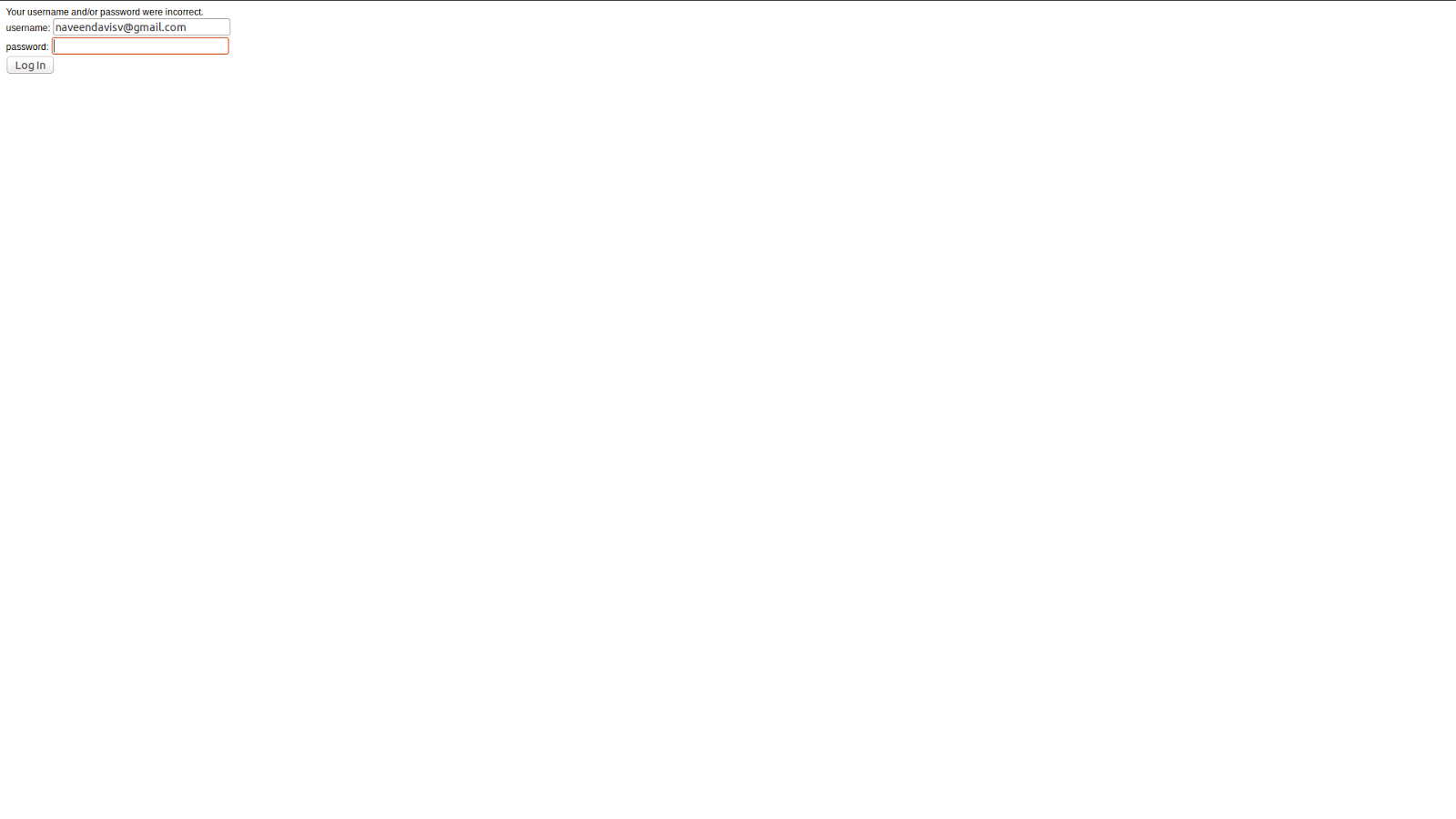
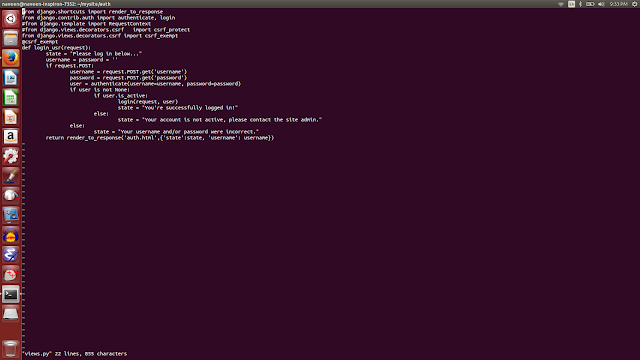
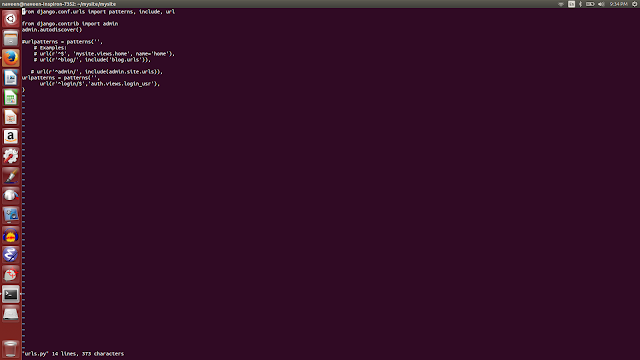
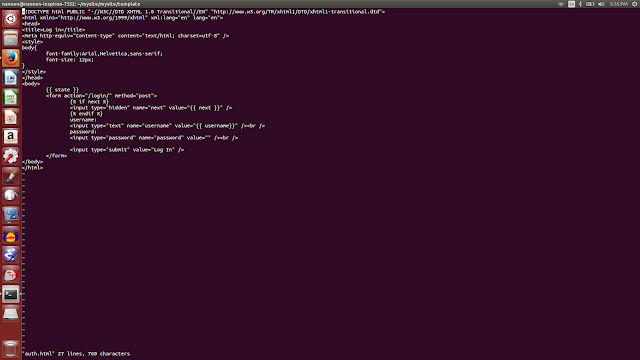
After the struggle of 2 days :-), I succeed to create login page in Django with sqllite3. First we need to set up sqllite .. visit this site for more details http://www.saltycrane.com/blog/2007/11/django-project-2-sqlite-setup/
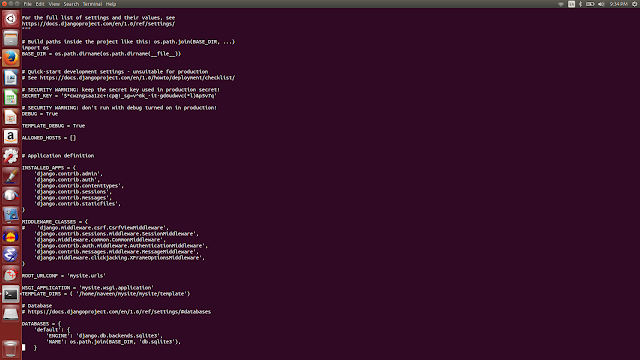
The other issue was , I was keep on getting the 'CSRF cookie not set'. I managed to exempt the CSRF using below technique, but its better use CSRF. http://stackoverflow.com/questions/22812721/why-do-i-get-csrf-cookie-not-set-when-post-to-django-rest-framework
and finally my login page worked !!!!!!!!!!!!

The other issue was , I was keep on getting the 'CSRF cookie not set'. I managed to exempt the CSRF using below technique, but its better use CSRF. http://stackoverflow.com/questions/22812721/why-do-i-get-csrf-cookie-not-set-when-post-to-django-rest-framework
and finally my login page worked !!!!!!!!!!!!